LearnOpenGL 15 坐标系统示例
LearnOpenGL CN 相关链接:https://learnopengl-cn.github.io/01%20Getting%20started/08%20Coordinate%20Systems/
本节视频:TODO
使用到的素材(右键-将图像另存为)
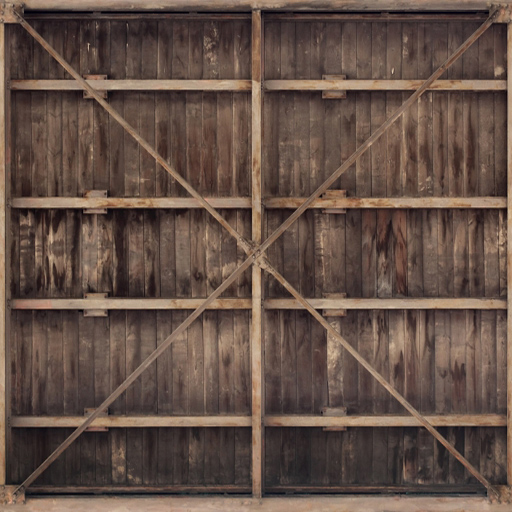

文件为 Joey de Vries 所有。所有权利均保留。 All credit goes to Joey de Vries. All rights reserved.
本节代码(点击展开)
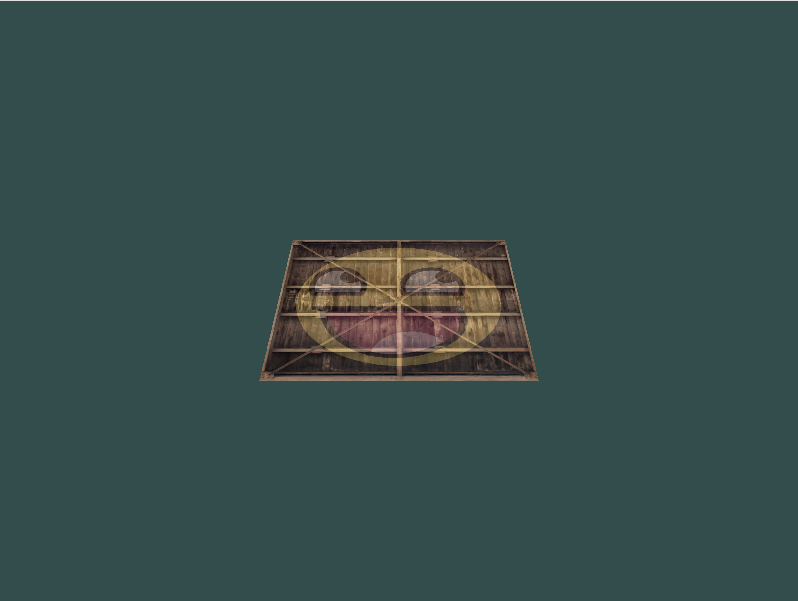
倒下去的箱子的一面
1
2
3
4
5
6
7
8
9
10
11
12
13
14
15
16
17
18
19
20
21
22
23
24
25
26
27
28
29
30
31
32
33
34
35
36
37
38
39
40
41
42
43
44
45
46
47
48
49
50
51
52
53
54
55
56
57
58
59
60
61
62
63
64
65
66
67
68
69
70
71
72
73
74
75
76
77
78
79
80
81
82
83
84
85
86
87
88
89
90
91
92
93
94
95
96
97
98
99
100
101
102
103
104
105
106
107
108
109
110
111
112
113
114
115
116
117
118
119
120
121
122
123
124
125
126
127
128
129
130
131
132
133
134
135
136
137
138
139
# 导入需要的库
import glfw
import moderngl as mgl
import numpy as np
from PIL import Image
from pyglm import glm

# 初始化 GLFW
if not glfw.init():
    raise Exception('GLFW出错')

screenWidth = 800
screenHeight = 600

# 创建窗口
window = glfw.create_window(screenWidth, screenHeight, 'LearnOpenGL', None, None)
if not window:
    glfw.terminate()
    raise Exception('window出错')

# 获得上下文
glfw.make_context_current(window)
ctx = mgl.create_context()

# 视口
def framebuffer_size_callback(window, width, height):
    ctx.viewport = (0, 0, width, height)

glfw.set_framebuffer_size_callback(window, framebuffer_size_callback)

# 处理输入
def process_input(window):
    if glfw.get_key(window, glfw.KEY_ESCAPE) == glfw.PRESS:
        glfw.set_window_should_close(window, True)

# 着色器程序
vertex_shader = '''
#version 330 core

in vec3 in_vert;
in vec2 in_texcoord;

out vec2 v_texcoord;

uniform mat4 model;
uniform mat4 view;
uniform mat4 projection;

void main()
{
    // 注意乘法要从右向左读
    gl_Position = projection * view * model * vec4(in_vert, 1.0);
    v_texcoord = in_texcoord;
}
'''

fragment_shader = '''
#version 330 core

in vec2 v_texcoord;

uniform sampler2D texture1;
uniform sampler2D texture2;

out vec4 FragColor;

void main()
{
    FragColor = mix(texture(texture1, v_texcoord), texture(texture2, v_texcoord), 0.2);
}
'''

prog = ctx.program(vertex_shader, fragment_shader)

# 顶点数据
vertices = np.array([
#   ----- 位置 -----   - 纹理坐标 -
     0.5,  0.5, 0.0,  1.0, 1.0,   # 右上
     0.5, -0.5, 0.0,  1.0, 0.0,   # 右下
    -0.5, -0.5, 0.0,  0.0, 0.0,   # 左下
    -0.5,  0.5, 0.0,  0.0, 1.0    # 左上
], dtype='f4')

vbo = ctx.buffer(vertices.tobytes())

indices = np.array([
    0, 1, 3,    # 第一个三角形
    1, 2, 3     # 第二个三角形
], dtype='i4')

ibo = ctx.buffer(indices.tobytes())

# 顶点数组对象
vao = ctx.vertex_array(prog, vbo, 'in_vert', 'in_texcoord', index_buffer=ibo)

# 纹理
img = Image.open('container.jpg').transpose(Image.FLIP_TOP_BOTTOM)
texture1 = ctx.texture(img.size, components=3, data=img.tobytes())
img = Image.open('awesomeface.png').transpose(Image.FLIP_TOP_BOTTOM)
texture2 = ctx.texture(img.size, components=4, data=img.tobytes())

# 绑定纹理
prog['texture1'] = 0
prog['texture2'] = 1
texture1.use(0)
texture2.use(1)

# 渲染循环
while not glfw.window_should_close(window):
    # 输入
    process_input(window)

    # 模型矩阵
    model = glm.mat4(1)
    model = glm.rotate(model, glm.radians(-55.0), glm.vec3(1.0, 0.0, 0.0))

    # 观察矩阵
    view = glm.mat4(1)
    # 注意,这里朝着我们期望移动的相反方向移动场景
    view = glm.translate(view, glm.vec3(0.0, 0.0, -3.0))

    # 透视矩阵
    projection = glm.mat4(1)
    projection = glm.perspective(glm.radians(45.0), screenWidth / screenHeight, 0.1, 100.0)

    prog['model'].write(model.to_bytes())
    prog['view'].write(view.to_bytes())
    prog['projection'].write(projection.to_bytes())

    # 渲染指令
    ctx.clear(0.2, 0.3, 0.3)
    vao.render(mgl.TRIANGLES)

    # 处理事件、交换缓冲
    glfw.poll_events()
    glfw.swap_buffers(window)

# 终止 GLFW
glfw.terminate()
立方体的 36 个顶点的数据
1
2
3
4
5
6
7
8
9
10
11
12
13
14
15
16
17
18
19
20
21
22
23
24
25
26
27
28
29
30
31
32
33
34
35
36
37
38
39
40
41
42
43
44
45
# 顶点数据
vertices = np.array([
#   ----- 位置 -----   - 纹理坐标 -
    -0.5, -0.5, -0.5,  0.0, 0.0,
     0.5, -0.5, -0.5,  1.0, 0.0,
     0.5,  0.5, -0.5,  1.0, 1.0,
     0.5,  0.5, -0.5,  1.0, 1.0,
    -0.5,  0.5, -0.5,  0.0, 1.0,
    -0.5, -0.5, -0.5,  0.0, 0.0,

    -0.5, -0.5,  0.5,  0.0, 0.0,
     0.5, -0.5,  0.5,  1.0, 0.0,
     0.5,  0.5,  0.5,  1.0, 1.0,
     0.5,  0.5,  0.5,  1.0, 1.0,
    -0.5,  0.5,  0.5,  0.0, 1.0,
    -0.5, -0.5,  0.5,  0.0, 0.0,

    -0.5,  0.5,  0.5,  1.0, 0.0,
    -0.5,  0.5, -0.5,  1.0, 1.0,
    -0.5, -0.5, -0.5,  0.0, 1.0,
    -0.5, -0.5, -0.5,  0.0, 1.0,
    -0.5, -0.5,  0.5,  0.0, 0.0,
    -0.5,  0.5,  0.5,  1.0, 0.0,

     0.5,  0.5,  0.5,  1.0, 0.0,
     0.5,  0.5, -0.5,  1.0, 1.0,
     0.5, -0.5, -0.5,  0.0, 1.0,
     0.5, -0.5, -0.5,  0.0, 1.0,
     0.5, -0.5,  0.5,  0.0, 0.0,
     0.5,  0.5,  0.5,  1.0, 0.0,

    -0.5, -0.5, -0.5,  0.0, 1.0,
     0.5, -0.5, -0.5,  1.0, 1.0,
     0.5, -0.5,  0.5,  1.0, 0.0,
     0.5, -0.5,  0.5,  1.0, 0.0,
    -0.5, -0.5,  0.5,  0.0, 0.0,
    -0.5, -0.5, -0.5,  0.0, 1.0,

    -0.5,  0.5, -0.5,  0.0, 1.0,
     0.5,  0.5, -0.5,  1.0, 1.0,
     0.5,  0.5,  0.5,  1.0, 0.0,
     0.5,  0.5,  0.5,  1.0, 0.0,
    -0.5,  0.5,  0.5,  0.0, 0.0,
    -0.5,  0.5, -0.5,  0.0, 1.0,
], dtype='f4')
旋转的箱子
1
2
3
4
5
6
7
8
9
10
11
12
13
14
15
16
17
18
19
20
21
22
23
24
25
26
27
28
29
30
31
32
33
34
35
36
37
38
39
40
41
42
43
44
45
46
47
48
49
50
51
52
53
54
55
56
57
58
59
60
61
62
63
64
65
66
67
68
69
70
71
72
73
74
75
76
77
78
79
80
81
82
83
84
85
86
87
88
89
90
91
92
93
94
95
96
97
98
99
100
101
102
103
104
105
106
107
108
109
110
111
112
113
114
115
116
117
118
119
120
121
122
123
124
125
126
127
128
129
130
131
132
133
134
135
136
137
138
139
140
141
142
143
144
145
146
147
148
149
150
151
152
153
154
155
156
157
158
159
160
161
162
163
164
165
166
167
168
169
170
171
# 导入需要的库
import glfw
import moderngl as mgl
import numpy as np
from PIL import Image
from pyglm import glm

# 初始化 GLFW
if not glfw.init():
    raise Exception('GLFW出错')

screenWidth = 800
screenHeight = 600

# 创建窗口
window = glfw.create_window(screenWidth, screenHeight, 'LearnOpenGL', None, None)
if not window:
    glfw.terminate()
    raise Exception('window出错')

# 获得上下文
glfw.make_context_current(window)
ctx = mgl.create_context()

# 视口
def framebuffer_size_callback(window, width, height):
    ctx.viewport = (0, 0, width, height)

glfw.set_framebuffer_size_callback(window, framebuffer_size_callback)

# 处理输入
def process_input(window):
    if glfw.get_key(window, glfw.KEY_ESCAPE) == glfw.PRESS:
        glfw.set_window_should_close(window, True)

# 着色器程序
vertex_shader = '''
#version 330 core

in vec3 in_vert;
in vec2 in_texcoord;

out vec2 v_texcoord;

uniform mat4 model;
uniform mat4 view;
uniform mat4 projection;

void main()
{
    // 注意乘法要从右向左读
    gl_Position = projection * view * model * vec4(in_vert, 1.0);
    v_texcoord = in_texcoord;
}
'''

fragment_shader = '''
#version 330 core

in vec2 v_texcoord;

uniform sampler2D texture1;
uniform sampler2D texture2;

out vec4 FragColor;

void main()
{
    FragColor = mix(texture(texture1, v_texcoord), texture(texture2, v_texcoord), 0.2);
}
'''

prog = ctx.program(vertex_shader, fragment_shader)

# 顶点数据
vertices = np.array([
#   ----- 位置 -----   - 纹理坐标 -
    -0.5, -0.5, -0.5,  0.0, 0.0,
     0.5, -0.5, -0.5,  1.0, 0.0,
     0.5,  0.5, -0.5,  1.0, 1.0,
     0.5,  0.5, -0.5,  1.0, 1.0,
    -0.5,  0.5, -0.5,  0.0, 1.0,
    -0.5, -0.5, -0.5,  0.0, 0.0,

    -0.5, -0.5,  0.5,  0.0, 0.0,
     0.5, -0.5,  0.5,  1.0, 0.0,
     0.5,  0.5,  0.5,  1.0, 1.0,
     0.5,  0.5,  0.5,  1.0, 1.0,
    -0.5,  0.5,  0.5,  0.0, 1.0,
    -0.5, -0.5,  0.5,  0.0, 0.0,

    -0.5,  0.5,  0.5,  1.0, 0.0,
    -0.5,  0.5, -0.5,  1.0, 1.0,
    -0.5, -0.5, -0.5,  0.0, 1.0,
    -0.5, -0.5, -0.5,  0.0, 1.0,
    -0.5, -0.5,  0.5,  0.0, 0.0,
    -0.5,  0.5,  0.5,  1.0, 0.0,

     0.5,  0.5,  0.5,  1.0, 0.0,
     0.5,  0.5, -0.5,  1.0, 1.0,
     0.5, -0.5, -0.5,  0.0, 1.0,
     0.5, -0.5, -0.5,  0.0, 1.0,
     0.5, -0.5,  0.5,  0.0, 0.0,
     0.5,  0.5,  0.5,  1.0, 0.0,

    -0.5, -0.5, -0.5,  0.0, 1.0,
     0.5, -0.5, -0.5,  1.0, 1.0,
     0.5, -0.5,  0.5,  1.0, 0.0,
     0.5, -0.5,  0.5,  1.0, 0.0,
    -0.5, -0.5,  0.5,  0.0, 0.0,
    -0.5, -0.5, -0.5,  0.0, 1.0,

    -0.5,  0.5, -0.5,  0.0, 1.0,
     0.5,  0.5, -0.5,  1.0, 1.0,
     0.5,  0.5,  0.5,  1.0, 0.0,
     0.5,  0.5,  0.5,  1.0, 0.0,
    -0.5,  0.5,  0.5,  0.0, 0.0,
    -0.5,  0.5, -0.5,  0.0, 1.0,
], dtype='f4')

vbo = ctx.buffer(vertices.tobytes())

# 顶点数组对象
vao = ctx.vertex_array(prog, vbo, 'in_vert', 'in_texcoord')

# 纹理
img = Image.open('container.jpg').transpose(Image.FLIP_TOP_BOTTOM)
texture1 = ctx.texture(img.size, components=3, data=img.tobytes())
img = Image.open('awesomeface.png').transpose(Image.FLIP_TOP_BOTTOM)
texture2 = ctx.texture(img.size, components=4, data=img.tobytes())

# 绑定纹理
prog['texture1'] = 0
prog['texture2'] = 1
texture1.use(0)
texture2.use(1)

ctx.enable(mgl.DEPTH_TEST)

# 渲染循环
while not glfw.window_should_close(window):
    # 输入
    process_input(window)

    # 模型矩阵
    model = glm.mat4(1)
    model = glm.rotate(model, glfw.get_time(), glm.vec3(0.5, 1.0, 0.0))

    # 观察矩阵
    view = glm.mat4(1)
    # 注意,这里朝着我们期望移动的相反方向移动场景
    view = glm.translate(view, glm.vec3(0.0, 0.0, -3.0))

    # 透视矩阵
    projection = glm.mat4(1)
    projection = glm.perspective(glm.radians(45.0), screenWidth / screenHeight, 0.1, 100.0)

    prog['model'].write(model.to_bytes())
    prog['view'].write(view.to_bytes())
    prog['projection'].write(projection.to_bytes())

    # 渲染指令
    ctx.clear(0.2, 0.3, 0.3)
    vao.render(mgl.TRIANGLES)

    # 处理事件、交换缓冲
    glfw.poll_events()
    glfw.swap_buffers(window)

# 终止 GLFW
glfw.terminate()
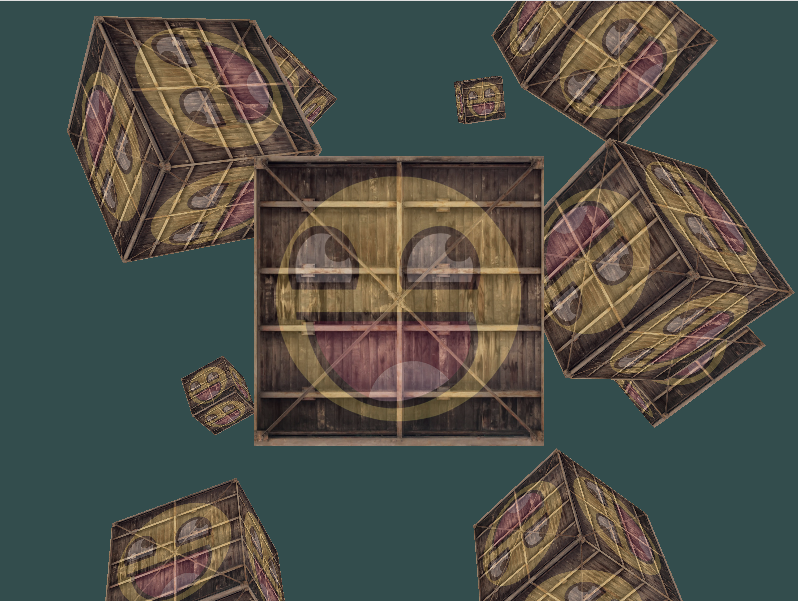
许多箱子
1
2
3
4
5
6
7
8
9
10
11
12
13
14
15
16
17
18
19
20
21
22
23
24
25
26
27
28
29
30
31
32
33
34
35
36
37
38
39
40
41
42
43
44
45
46
47
48
49
50
51
52
53
54
55
56
57
58
59
60
61
62
63
64
65
66
67
68
69
70
71
72
73
74
75
76
77
78
79
80
81
82
83
84
85
86
87
88
89
90
91
92
93
94
95
96
97
98
99
100
101
102
103
104
105
106
107
108
109
110
111
112
113
114
115
116
117
118
119
120
121
122
123
124
125
126
127
128
129
130
131
132
133
134
135
136
137
138
139
140
141
142
143
144
145
146
147
148
149
150
151
152
153
154
155
156
157
158
159
160
161
162
163
164
165
166
167
168
169
170
171
172
173
174
175
176
177
178
179
180
181
182
183
184
185
# 导入需要的库
import glfw
import moderngl as mgl
import numpy as np
from PIL import Image
from pyglm import glm

# 初始化 GLFW
if not glfw.init():
    raise Exception('GLFW出错')

screenWidth = 800
screenHeight = 600

# 创建窗口
window = glfw.create_window(screenWidth, screenHeight, 'LearnOpenGL', None, None)
if not window:
    glfw.terminate()
    raise Exception('window出错')

# 获得上下文
glfw.make_context_current(window)
ctx = mgl.create_context()

# 视口
def framebuffer_size_callback(window, width, height):
    ctx.viewport = (0, 0, width, height)

glfw.set_framebuffer_size_callback(window, framebuffer_size_callback)

# 处理输入
def process_input(window):
    if glfw.get_key(window, glfw.KEY_ESCAPE) == glfw.PRESS:
        glfw.set_window_should_close(window, True)

# 着色器程序
vertex_shader = '''
#version 330 core

in vec3 in_vert;
in vec2 in_texcoord;

out vec2 v_texcoord;

uniform mat4 model;
uniform mat4 view;
uniform mat4 projection;

void main()
{
    // 注意乘法要从右向左读
    gl_Position = projection * view * model * vec4(in_vert, 1.0);
    v_texcoord = in_texcoord;
}
'''

fragment_shader = '''
#version 330 core

in vec2 v_texcoord;

uniform sampler2D texture1;
uniform sampler2D texture2;

out vec4 FragColor;

void main()
{
    FragColor = mix(texture(texture1, v_texcoord), texture(texture2, v_texcoord), 0.2);
}
'''

prog = ctx.program(vertex_shader, fragment_shader)

# 顶点数据
vertices = np.array([
#   ----- 位置 -----   - 纹理坐标 -
    -0.5, -0.5, -0.5,  0.0, 0.0,
     0.5, -0.5, -0.5,  1.0, 0.0,
     0.5,  0.5, -0.5,  1.0, 1.0,
     0.5,  0.5, -0.5,  1.0, 1.0,
    -0.5,  0.5, -0.5,  0.0, 1.0,
    -0.5, -0.5, -0.5,  0.0, 0.0,

    -0.5, -0.5,  0.5,  0.0, 0.0,
     0.5, -0.5,  0.5,  1.0, 0.0,
     0.5,  0.5,  0.5,  1.0, 1.0,
     0.5,  0.5,  0.5,  1.0, 1.0,
    -0.5,  0.5,  0.5,  0.0, 1.0,
    -0.5, -0.5,  0.5,  0.0, 0.0,

    -0.5,  0.5,  0.5,  1.0, 0.0,
    -0.5,  0.5, -0.5,  1.0, 1.0,
    -0.5, -0.5, -0.5,  0.0, 1.0,
    -0.5, -0.5, -0.5,  0.0, 1.0,
    -0.5, -0.5,  0.5,  0.0, 0.0,
    -0.5,  0.5,  0.5,  1.0, 0.0,

     0.5,  0.5,  0.5,  1.0, 0.0,
     0.5,  0.5, -0.5,  1.0, 1.0,
     0.5, -0.5, -0.5,  0.0, 1.0,
     0.5, -0.5, -0.5,  0.0, 1.0,
     0.5, -0.5,  0.5,  0.0, 0.0,
     0.5,  0.5,  0.5,  1.0, 0.0,

    -0.5, -0.5, -0.5,  0.0, 1.0,
     0.5, -0.5, -0.5,  1.0, 1.0,
     0.5, -0.5,  0.5,  1.0, 0.0,
     0.5, -0.5,  0.5,  1.0, 0.0,
    -0.5, -0.5,  0.5,  0.0, 0.0,
    -0.5, -0.5, -0.5,  0.0, 1.0,

    -0.5,  0.5, -0.5,  0.0, 1.0,
     0.5,  0.5, -0.5,  1.0, 1.0,
     0.5,  0.5,  0.5,  1.0, 0.0,
     0.5,  0.5,  0.5,  1.0, 0.0,
    -0.5,  0.5,  0.5,  0.0, 0.0,
    -0.5,  0.5, -0.5,  0.0, 1.0,
], dtype='f4')

vbo = ctx.buffer(vertices.tobytes())

# 顶点数组对象
vao = ctx.vertex_array(prog, vbo, 'in_vert', 'in_texcoord')

# 纹理
img = Image.open('container.jpg').transpose(Image.FLIP_TOP_BOTTOM)
texture1 = ctx.texture(img.size, components=3, data=img.tobytes())
img = Image.open('awesomeface.png').transpose(Image.FLIP_TOP_BOTTOM)
texture2 = ctx.texture(img.size, components=4, data=img.tobytes())

# 绑定纹理
prog['texture1'] = 0
prog['texture2'] = 1
texture1.use(0)
texture2.use(1)

ctx.enable(mgl.DEPTH_TEST)

cube_positions = [
    glm.vec3( 0.0,  0.0,  0.0),
    glm.vec3( 2.0,  5.0, -15.0),
    glm.vec3(-1.5, -2.2, -2.5),
    glm.vec3(-3.8, -2.0, -12.3),
    glm.vec3( 2.4, -0.4, -3.5),
    glm.vec3(-1.7,  3.0, -7.5),
    glm.vec3( 1.3, -2.0, -2.5),
    glm.vec3( 1.5,  2.0, -2.5),
    glm.vec3( 1.5,  0.2, -1.5),
    glm.vec3(-1.3,  1.0, -1.5),
]

# 渲染循环
while not glfw.window_should_close(window):
    # 输入
    process_input(window)

    view = glm.mat4(1)
    view = glm.translate(view, glm.vec3(0.0, 0.0, -3.0))

    projection = glm.mat4(1)
    projection = glm.perspective(glm.radians(45.0), screenWidth / screenHeight, 0.1, 100.0)

    prog['view'].write(view.to_bytes())
    prog['projection'].write(projection.to_bytes())

    ctx.clear(0.2, 0.3, 0.3)

    for i, pos in enumerate(cube_positions):
        # 模型矩阵
        model = glm.mat4(1)
        model = glm.translate(model, pos)
        angle = 20 * i
        model = glm.rotate(model, glm.radians(angle), glm.vec3(1.0, 0.3, 0.5))

        prog['model'].write(model.to_bytes())

        vao.render(mgl.TRIANGLES)

    # 处理事件、交换缓冲
    glfw.poll_events()
    glfw.swap_buffers(window)

# 终止 GLFW
glfw.terminate()
本文由作者按照 CC BY 4.0 进行授权